Bitrate control shapes the entire viewing experience in streaming. Whether you deliver interactive live streams, large-scale broadcasts, or on-demand video, bitrate strategy determines visual quality, latency, bandwidth efficiency, and overall platform stability.
Before choosing a bitrate mode, it’s important to understand the relationship between bitrate vs resolution in video streaming, since bitrate directly affects how much visual detail a given resolution can realistically deliver.
Two rate-control methods dominate this space: Constant Bitrate (CBR) and Variable Bitrate (VBR). Understanding how they work, where each performs best, and how they interact with real-time protocols like WebRTC is essential for engineering reliable streaming pipelines.
This comprehensive guide goes far beyond basic definitions. It explores the technical behavior of CBR and VBR, explains how encoders manage complexity, examines real-world performance under fluctuating networks, compares workflow suitability, and offers detailed guidance for Ant Media Server users.
By the end, you’ll know exactly which bitrate mode fits your application — and why.
Table of Contents
What Bitrate Means in Video Streaming
Bitrate represents the amount of data your video consumes per second. This single value directly determines:
- Visual clarity
- Compression quality
- Delivery smoothness
- Bandwidth needs
- Buffer size and behavior
- Viewer experience across devices
Higher bitrates produce cleaner images but require more bandwidth. Lower bitrates reduce data usage but may introduce artifacts such as blocking, banding, or noise.
These fundamentals apply across all video streaming fundamentals, whether the content is live, interactive, or delivered on demand.
Because video scenes vary in complexity, bitrate management becomes essential. This is where rate-control modes like CBR and VBR come into play.
Understanding the Role of Rate Control
Rate control dictates how an encoder allocates bits across frames. The goal is to balance:
- Network limitations
- Quality expectations
- Latency requirements
- Codec constraints
- Delivery strategies
Different workflows require different approaches. For example:
- Real-time streaming needs stability more than scene-optimized quality.
- On-demand content benefits from optimized bitrate distribution.
Rate control decisions determine whether your platform feels smooth, responsive, and reliable — or jittery and unstable.
What is Constant Bitrate(CBR)
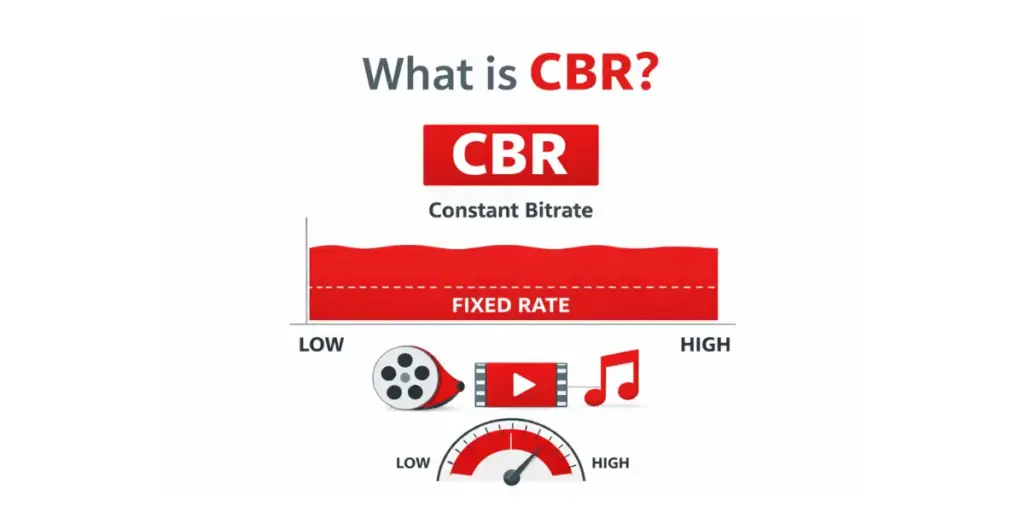
Constant Bitrate is a method where the encoder outputs data at a consistent rate throughout the stream. Every second of video receives approximately the same number of bits.
CBR is the preferred choice when predictable network behavior and real-time responsiveness matter more than maximum visual efficiency, especially in WebRTC real-time streaming environments.
How CBR Works Inside the Encoder
Inside the encoder, CBR uses:
- A fixed bitrate target
- Tight VBV (Video Buffering Verifier) constraints
- Quantizer adjustments to maintain constant output
- Frame-level enforcement to prevent spikes
Even when scenes become highly complex, CBR tries to maintain the same bitrate by raising quantization, reducing detail, or lowering motion vector precision.
This ensures smooth delivery but may sacrifice quality during complex segments.
Benefits and Limitations of CBR
Benefits
- Predictable bandwidth usage
- Stable latency characteristics
- Smooth delivery over fluctuating networks
- Reduced buffering risk
- Ideal for WebRTC, RTMP, SRT, and live events
Limitations
- Lower peak quality in complex scenes
- Less efficient bandwidth usage
- Potential blockiness during high-motion sequences
CBR prioritizes consistency over scene-based optimization.
What is Variable Bitrate (VBR)
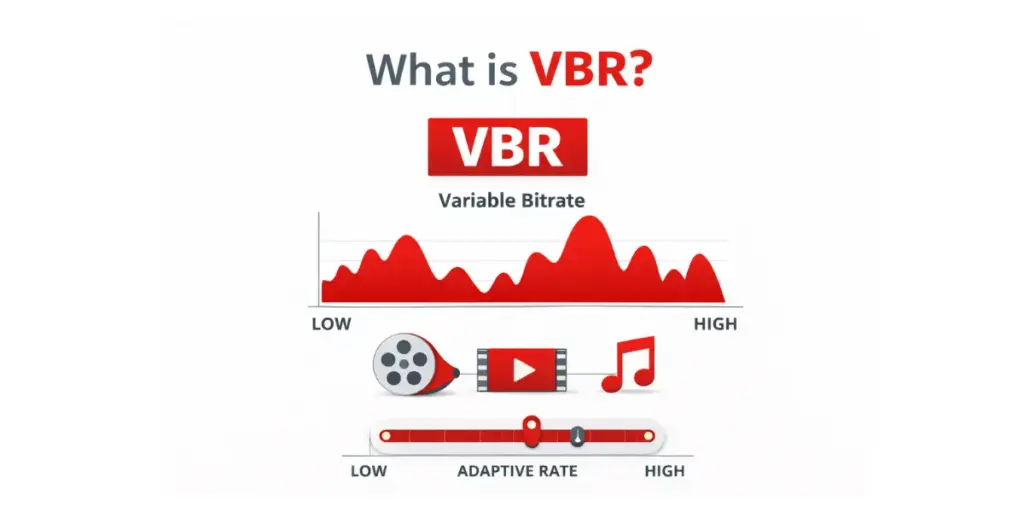
Variable Bitrate adjusts the number of bits allocated to each segment based on scene complexity. Motion-heavy scenes receive more bits; static scenes receive fewer.
VBR is commonly used in live streaming workflows and on-demand pipelines where quality optimization is more important than instantaneous delivery predictability.
VBR’s goal is maximum quality per average bitrate.
How VBR Works Inside the Encoder
VBR uses:
- Frame-by-frame complexity analysis
- Adaptive quantizer distribution
- Motion estimation variance
- Optional multi-pass analysis for precision
The encoder evaluates textures, lighting changes, motion vectors, and temporal shifts to decide how many bits each frame requires.
This produces higher visual quality at the same average bitrate.
Benefits and Limitations of VBR
Benefits
- Higher overall quality
- Better compression efficiency
- Lower average bitrate for similar quality
- Ideal for on-demand video and offline encoding
Limitations
- Unpredictable instantaneous bitrate
- Peak bursts can cause network congestion
- Requires larger playback buffers
- Risky for real-time delivery under limited bandwidth
VBR prioritizes visual quality and efficiency over delivery stability.
Side-by-Side Comparison: CBR vs VBR
| Feature | CBR | VBR |
|---|---|---|
| Bitrate Pattern | Constant | Dynamic |
| Quality Consistency | Stable | Optimized per scene |
| Network Predictability | High | Low |
| Latency Stability | High | Variable |
| Compression Efficiency | Moderate | High |
| Live Streaming | Excellent | Conditional |
| On-Demand Streaming | Adequate | Excellent |
| Buffer Stress | Low | Higher peak load |
Bitrate Mode Impact on Latency
Latency is extremely sensitive to bitrate behavior.
CBR and Latency
- Keeps queues consistent
- Reduces jitter
- Maintains steady delivery speed
- Works well with congestion control loops
VBR and Latency
- Peaks can cause queue buildup
- Buffers may expand to absorb bursts
- Can trigger delay spikes in real-time protocols
If your workflow targets sub-second latency, CBR is almost always the correct choice.
Bitrate Mode Impact on Network Stability
Networks prefer predictability.
- CBR sends a steady stream of data
- VBR sends fluctuating loads that may exceed available bandwidth
Mobile networks, Wi-Fi, and shared networks struggle with VBR peaks, leading to:
- Packet loss
- Retransmissions
- Latency spikes
- Reduced playback stability
CBR removes most of these risks.
Bitrate Mode Impact on Quality
CBR Quality Pattern
- Predictable
- Lower quality in fast-moving scenes
- Less efficient bit distribution
VBR Quality Pattern
- Scene-optimized
- Higher detail in complex areas
- Lower average bitrate for same quality
If quality is your top priority and latency does not matter, VBR wins.
CBR vs VBR in WebRTC Real-Time Streaming
Real-time streaming places strict requirements on throughput consistency, congestion control, and buffer size. In low-latency WebRTC streaming, even short bitrate spikes can increase delay or cause frame drops.
This is why CBR is generally recommended when using Ant Media Server for interactive use cases such as video conferencing, auctions, surveillance, or live fitness sessions.
CBR aligns better with WebRTC’s congestion control mechanisms and helps maintain sub-second latency.
CBR vs VBR in ABR: HLS and DASH
In adaptive bitrate workflows, segment size consistency plays a major role in player decision-making. VBR can introduce large segment size variations, which may confuse throughput estimation.
CBR or constrained CBR is often preferred for professional adaptive bitrate streaming ladders because it produces more uniform segments and smoother quality switching during live delivery.
Constrained CBR (Hybrid) Explained
Constrained CBR allows small fluctuations within a controlled range.
Example:
- Target: 4.0 Mbps
- Minimum: 3.7 Mbps
- Maximum: 4.4 Mbps
This hybrid model provides:
- Better quality than strict CBR
- More predictability than full VBR
Many modern encoders use this approach for live delivery.
Encoder Behavior: Complexity, Motion, and Bit Allocation
Encoders evaluate:
- Motion vectors
- Spatial detail
- Temporal detail
- Edge density
- Texture layers
These factors determine how many bits a frame should receive.
VBR follows these signals.
CBR suppresses them to maintain a steady rate.
Higher complexity scenes always highlight the difference between the two modes.
Bitrate Peaks, Burst Patterns, and Buffer Stress
With VBR, peak bursts can reach 150 percent or even 200 percent of the target rate depending on the codec and configuration.
Burst consequences:
- Network overload
- Decoder buffer overflow
- Higher latency
- Dropped frames
CBR avoids burst issues because its peaks never exceed the target rate.
Numeric Examples and Detailed Comparison Tables
1080p 30fps Example
| Mode | Target Bitrate | Peak Bitrate | Average | Recommended For |
|---|---|---|---|---|
| CBR | 4 Mbps | 4 Mbps | 4 Mbps | WebRTC, live events |
| Constrained CBR | 4 Mbps | 4.4 Mbps | 4 Mbps | Live with improved detail |
| VBR | 4 Mbps | 6 Mbps | 3.4 Mbps | On-demand media |
Frame Complexity Example
| Frame | Complexity Score | CBR Size | VBR Size |
|---|---|---|---|
| 1 | 0.1 | 170 KB | 90 KB |
| 2 | 0.3 | 170 KB | 150 KB |
| 3 | 0.9 | 170 KB | 360 KB |
ABR Ladder Impact Example
VBR ladders often produce segments such as:
- Rendition 1: 1.6 MB → 1.0 MB → 2.2 MB → 1.3 MB
- Rendition 2: 2.9 MB → 1.8 MB → 4.1 MB → 2.2 MB
Such variability makes ABR switching unstable.
Workflow Recommendations for Ant Media Server
Choosing the right bitrate control strategy depends on your delivery goals:
- WebRTC and real-time interaction: Use CBR
- Live ABR streaming: Use CBR or constrained CBR
- On-demand or VOD: Use VBR for maximum efficiency
You can validate these strategies in real conditions by testing them directly with Ant Media Server.
👉 To experiment with CBR, VBR, and constrained CBR in real workflows, you can start a free Ant Media trial and measure latency, quality, and stability yourself.
How to Choose the Right Bitrate Control Strategy
Choose CBR when your priorities are:
- Stability
- Low latency
- Predictable network load
- Real-time interaction
- Cross-device reliability
Choose VBR when your priorities are:
- Best possible quality
- Efficient storage
- High-motion detail
- Multi-pass encoding
- On-demand playback
Choose Constrained CBR when you want:
- Live streaming stability
- Higher quality than strict CBR
- More predictable bursts than VBR
Frequently Asked Questions
What is the difference between CBR and VBR?
CBR keeps bitrate constant, while VBR adjusts bitrate based on scene complexity.
Which bitrate mode is best for real-time streaming?
CBR is best for real-time and real-time video streaming because it provides predictable bandwidth usage and stable latency.
Which bitrate mode delivers better quality?
VBR typically delivers higher visual quality at the same average bitrate, making it ideal for on-demand content.
Why does VBR sometimes cause buffering?
VBR peaks can exceed network limits, creating congestion and delay.
Can I use VBR for ABR streaming?
Yes, but segment variability must be carefully controlled.
What is constrained CBR?
A hybrid mode that allows small variations around a target bitrate for improved quality.
Conclusion
CBR and VBR are not competing technologies—they are tools optimized for different delivery goals. CBR prioritizes predictability and low latency, making it ideal for real-time workflows. VBR prioritizes quality and efficiency, making it the preferred choice for on-demand video.
When implemented correctly with Ant Media Server for real-time streaming, bitrate control becomes a strategic advantage rather than a technical constraint.
Estimate Your Streaming Costs
Use our free Cost Calculator to find out how much you can save with Ant Media Server based on your usage.
Open Cost Calculator