WebRTC has become a critical technology for industries ranging from telehealth and online education to live streaming, enterprise collaboration, and surveillance. By enabling real-time audio, video, and data communication directly in browsers, it eliminates the need for plugins or third-party installations.However, despite its maturity, Official WebRTC specifications support remains inconsistent across browsers and platforms. Each browser implements the standard differently, particularly in terms of codec support, API implementation, and performance optimization. For organizations deploying real-time streaming solutions with Ant Media, understanding these differences is essential to ensuring reliability, scalability, and user satisfaction.
Table of Contents
WebRTC Overview and Its Role in Real-Time Communication
WebRTC (Web Real-Time Communication) is a set of open-source standards, APIs, and protocols developed by the IETF and W3C to enable real-time communication directly inside browsers and applications. Its significance lies in allowing seamless video, audio, and data transfer without requiring external plugins, legacy technologies (such as Flash), or additional installations. Learn more about what is WebRTC and how it works.
At its core, WebRTC delivers:
Low-latency streaming for interactive applications: Essential for scenarios such as live sports streaming, financial trading platforms, online betting, and collaborative tools where delays must be under a second. Explore the benefits of using WebRTC for streaming.
Peer-to-peer communication without external plugins: Two users can establish a secure and direct connection, reducing dependency on centralized servers. This lowers bandwidth usage and improves efficiency.
Support for adaptive codecs including VP8, VP9, H.264, and emerging AV1: Codec flexibility ensures compatibility across different browsers and devices, while also optimizing video quality versus bandwidth usage. Understand more about video codecs in Ant Media.
Integration with media servers (e.g., Ant Media Server): While peer-to-peer is efficient for small-scale communication, large-scale deployments (e.g., webinars with thousands of participants) require media servers to handle transcoding, adaptive bitrate streaming, and scalability.
Because of these features, WebRTC has become the backbone of modern real-time communication systems. It powers video conferencing platforms, telehealth applications, online education solutions, IP camera integrations, and enterprise-grade broadcasting systems.
Challenges of Browser Compatibility
While WebRTC is standardized, its real-world implementation varies significantly between browsers, creating challenges for developers aiming to deliver a consistent user experience. These differences arise from codec preferences, API coverage, performance optimizations, and platform-level restrictions.
Codec Preferences
- Chrome typically defaults to VP8 and VP9, favoring open codecs optimized for efficiency and quality.
- Safari, on the other hand, enforces H.264 due to hardware acceleration and its alignment with Apple’s ecosystem.
- The lack of uniform codec priorities often leads to negotiation mismatches, requiring media servers to handle transcoding for cross-browser compatibility.
API Coverage
Browsers differ in WebRTC API adoption speed. For example, Insertable Streams API—which allows encryption and manipulation of encoded media streams—is fully available in Chrome but still missing in Safari. This uneven coverage means advanced WebRTC features cannot always be guaranteed across all browsers. For API implementation details, consult the Ant Media documentation.
Performance Optimization
- Safari emphasizes stability and hardware acceleration by locking into H.264. While this ensures efficient video rendering, it limits codec flexibility and makes it harder to use newer formats such as VP9 or AV1.
- Chrome and Firefox are more experimental, supporting newer codecs and APIs, but sometimes at the cost of stability in early releases.
Platform Limitations
On iOS, Apple mandates that all browsers (Chrome, Firefox, Edge, etc.) use WebKit as their rendering engine. This effectively means all iOS browsers inherit Safari’s H.264-only limitation and its restricted WebRTC feature set. Developers must therefore design with iOS limitations in mind, especially for applications targeting telehealth and mobile-first users. Learn how to build WebRTC iOS apps.
Browser-by-Browser WebRTC Support
Google Chrome
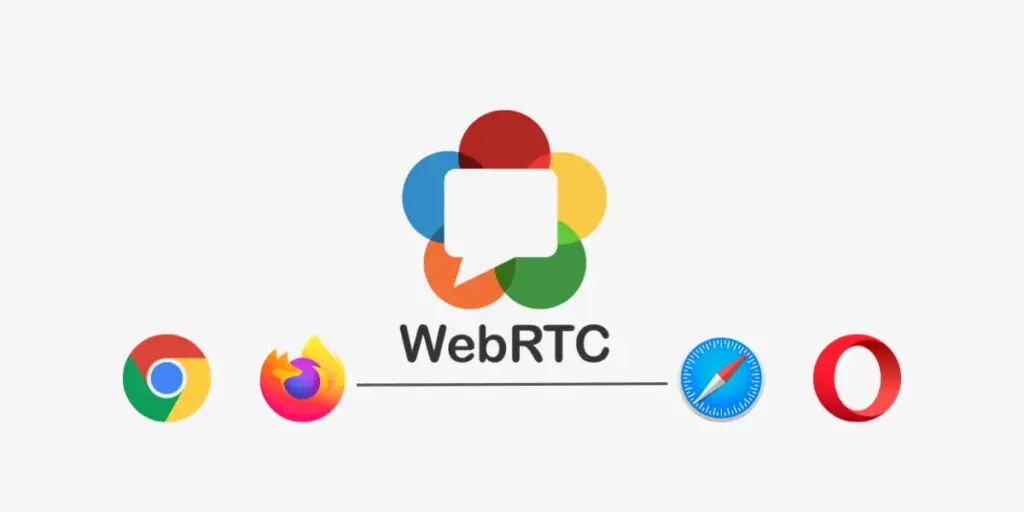
- Status: Leading implementation; widely used.
- Codecs: VP8, VP9, H.264; experimental support for AV1.
- Advantages: Frequent updates, robust developer tools, broad adoption.
- Consideration: Rapid changes may affect backward compatibility.
Mozilla Firefox
- Status: Strong adherence to standards.
- Codecs: VP8 and H.264 supported; VP9 partially supported.
- Advantages: Transparent debugging (about:webrtc), strong privacy posture.
- Consideration: Smaller global user base compared to Chrome and Safari.
Microsoft Edge (Chromium-Based)
- Status: Equivalent to Chrome in terms of WebRTC stack.
- Codecs: VP8, VP9, H.264; partial AV1 support.
- Advantages: Enterprise adoption, seamless integration with Microsoft ecosystem.
- Consideration: Older non-Chromium Edge is deprecated and unsupported.
Safari (macOS and iOS)
- Status: Most restrictive browser for WebRTC.
- Codecs: Stable support for H.264; VP8/VP9 support is limited or unavailable.
- Advantages: Hardware acceleration improves video performance.
- Consideration: Limited flexibility in codec negotiation, which often necessitates server-side transcoding.
Opera and Other Chromium-Based Browsers
- Status: Follow Chrome’s WebRTC stack.
- Codecs: VP8, VP9, H.264.
- Advantages: Consistent compatibility.
- Consideration: Smaller adoption rates, less testing coverage.
Mobile Browser Support: Android and iOS Considerations
Android
Chrome and Firefox on Android deliver near-identical functionality to their desktop counterparts. For Android-specific implementation, use the Android SDK documentation.
iOS
All browsers (Safari, Chrome, Firefox) are required to use WebKit. WebRTC behavior is therefore identical to Safari on iOS. This results in H.264-only video codec support with limited advanced API coverage. For iOS development, see the iOS SDK documentation.
Codec Compatibility Matrix (2025)
| Browser | VP8 | VP9 | H.264 | AV1 (Experimental) | Notes |
|---|---|---|---|---|---|
| Chrome | Supported | Supported | Supported (hardware-accelerated) | Limited builds | Full support with flexibility |
| Firefox | Supported | Partial | Supported (hardware-accelerated) | Not supported | VP9 partially supported |
| Edge | Supported | Supported | Supported (hardware-accelerated) | Limited builds | Same as Chrome (Chromium-based) |
| Safari (macOS) | Supported (Software-decoded) | Not supported | Supported (hardware-accelerated) | Not supported | H.264 reliable; VP8 CPU-heavy |
| Safari (iOS) | Supported (Software-decoded) | Not supported | Supported (hardware-accelerated) | Not supported | H.264 reliable; VP8 CPU-heavy |
| Opera | Supported | Supported | Supported (hardware-accelerated) | Limited builds | Same as Chrome (Chromium-based) |
API and Feature Support Variations Across Browsers
- Insertable Streams API: Chrome supports; Safari does not.
- Simulcast & SVC (Scalable Video Coding): Strong in Chrome and Firefox, limited in Safari.
- Screen Sharing: Supported in Chrome, Firefox, and Edge; Safari requires manual permissions. See the screen sharing documentation.
- DataChannel Performance: Cross-browser support exists, but throughput and reliability vary. Explore WebRTC data channels.
Common Issues and Recommended Workarounds
- Safari fails with VP8 streams: Configure server for H.264 transcoding using Ant Media’s transcoding features.
- Audio-Video synchronization issues on iOS: Test and optimize for hardware acceleration.
- SDP negotiation mismatch between Chrome and Firefox: Use adapter.js for normalization.
- Corporate network restrictions: Implement TURN servers for NAT traversal.
Testing and Debugging Approaches
- Chrome: chrome://webrtc-internals for session statistics.
- Firefox: about:webrtc for detailed logs.
- Safari: Web Inspector → Media tab.
- Automation: WebRTC Testing with Selenium.
- Ant Media Console: Built-in test interfaces for publishing and playing streams.
Use Case Considerations
| Use Case | Browser Considerations | Recommended Approach |
|---|---|---|
| Webinars | Chrome/Edge preferred; Safari fallback | VP9 primary, H.264 fallback |
| Telehealth | iOS prevalence requires H.264 support | Configure transcoding |
| E-Learning | Mixed devices | Test across Chrome + iPad Safari |
| Gaming | Desktop-first (Chrome, Firefox) | VP9 for efficiency |
| IoT/Surveillance | Device diversity | Enable server-side transcoding |
The Future of WebRTC Browser Compatibility (2025–2030 Outlook)
- AV1 Adoption: Expected to rise for bandwidth efficiency, though Safari adoption remains uncertain.
- 5G and Edge Computing: Lower latency will make WebRTC critical for interactive applications.
- Server-Assisted Streaming (SFU/MCU): Increasingly necessary for large-scale deployments.
- Ant Media Innovations: Roadmap includes AV1 integration, enhanced mobile SDKs, and improved adaptive bitrate streaming.
FAQs
Does Safari fully support WebRTC?
Safari supports WebRTC but enforces H.264, limiting codec flexibility.
Which browser provides the best WebRTC experience?
Chrome and Edge offer the most reliable and feature-rich implementations.
How can I test WebRTC across browsers?
Use Ant Media’s test pages along with native browser tools such as webrtc-internals.
Why does WebRTC often fail on iPhones?
All iOS browsers rely on Safari’s WebKit engine, which restricts codec and API support. Check the iOS SDK guide.
Can I enforce a uniform codec across all browsers?
Yes, configure codec preferences and transcoding in Ant Media Server. Learn about enforcing stream quality.
Conclusion and Best Practices
WebRTC has matured significantly, but browser support and compatibility challenges persist. Organizations building communication platforms must:
- Prioritize Chrome, Edge, and Firefox for maximum feature support.
- Treat Safari (especially on iOS) as a special case requiring H.264-first strategies.
- Implement transcoding and fallback mechanisms in the media server to ensure consistent user experiences.
- Continuously test applications on multiple browsers and devices using automated testing tools.
By leveraging Ant Media Server’s transcoding, adaptive bitrate streaming, and SDKs, organizations can deliver reliable, ultra-low latency streaming across all major browsers and platforms.
For more implementation examples, explore:
- Stream WebRTC and play with HLS and DASH
- CMAF streaming advantages
- GStreamer pipelines for multiple protocols
- HLS streaming optimization
For more information on implementing WebRTC solutions, explore the comprehensive documentation or contact the Ant Media team for support.
For more information on implementing WebRTC solutions, explore our comprehensive documentation or contact our support team.
Estimate Your Streaming Costs
Use our free Cost Calculator to find out how much you can save with Ant Media Server based on your usage.
Open Cost Calculator